How to Take Product Photos That Sell, Using Only Your Phone
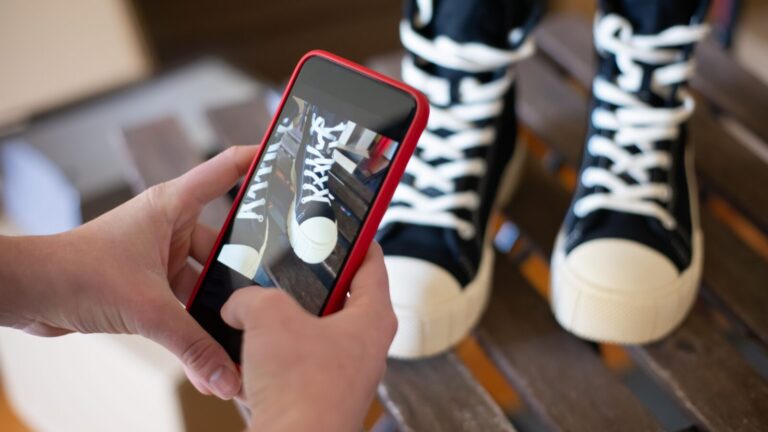

Two shops sell the exact same product for the exact same price. One shows dark, blurry photos. The other shows clear, bright photos. The second shop sells more, every time.
You do not need an expensive camera to take photos that sell. Your phone is enough. This article shows you exactly how to use it well, step by step.
Step 1: Clean Your Camera Lens First
This sounds too simple to matter, but it matters more than any other step. Your phone sits in a pocket or a bag all day. A smear of dust or oil on the lens makes every photo look slightly blurry, no matter how good your phone is. Wipe it with a soft cloth before every photo session.
Step 2: Use Daylight, Not Your Flash
Your phone’s flash creates harsh shadows and a yellow or blue tint that makes products look cheap. Move near a window or step outside instead. Shoot in the early morning or late afternoon, when sunlight is soft, not the harsh midday sun. Natural light makes almost any product look better instantly.
Step 3: Use a Plain, Clean Background
A busy background pulls attention away from your product. A plain wall, a clean table, or a simple piece of cloth works well as a background. Remove any clutter from the frame before you shoot. The product should be the only thing the eye notices.
Step 4: Shoot From Several Angles
Take a straight-on shot, a shot slightly from above, and a close-up of any important detail or texture. A customer who cannot touch your product before buying relies fully on your photos to understand it. More angles mean fewer questions and fewer doubts before they buy.
Step 5: Edit Lightly, Do Not Overdo It
Use a free app like Canva or your phone’s built-in editor to slightly brighten the photo and straighten the angle. Do not change the color of the product so much that it looks different in person. A customer who feels tricked by an edited photo will not buy from you again.
Step 6: Show the Product in Real Use
Alongside your clean product shots, add one photo or short video of the product being worn, used, or eaten. This helps a customer picture themselves using it, which a plain studio photo alone cannot do.
A photo is often the only thing standing between a customer and a purchase. They cannot touch, smell, or try your product before they buy online. Your photo has to do that job for you.
A Quick Photo Checklist
- Clean lens, wiped before every session
- Natural daylight, no flash
- Plain, clutter-free background
- At least two to three angles per product
- Light editing only, true to the real color
- One photo or video showing the product in real use
Good photos work even better when paired with video. Read our guide on how one small business grew simply by filming their real, everyday work.
Ready for Photos That Look Professional Every Time?
Doing this consistently, for every new product, takes real time. Optiza Digital’s Content Creation service photographs and films your products for you, so every post looks sharp and consistent. Visit our office in Mwenge, Dar es Salaam, or book a paid consultation starting from TZS 150,000 for 2 hours. We do not offer free consultations by phone call, WhatsApp, or DM.